Easy System Maintenance
To keep a smooth operation, you need to make sure that your machinery is in optimum condition. The same goes for computers and devices. For your computer to maintain a high-performance operation, you need to make sure that no malware and unwanted files lurked in the folders that you no longer use. Here enter utility apps such as EasyCleaner. It is a multi-featured system maintenance software that cleans your Windows’ registry for entries that points nowhere. The app also comes with other system management tools that can help you boost the performance of your computer.
Top Recommended Alternative

Clean that Registry
Registry cleaners are a type of software that removes unnecessary entries from Window’s registry. These are specially used for removing registry entries that point to files that no longer exist. As users might know, deleting these entries will speed up your computer. However, you must be wary of deleting them, as they can be dangerous to your computer. You can delete some that you might need in the future. To avoid this, it is wise to make a backup of all your entries.
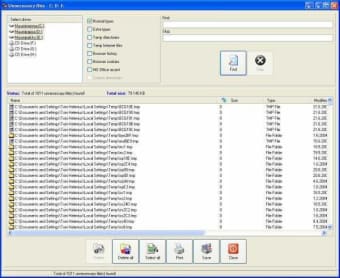
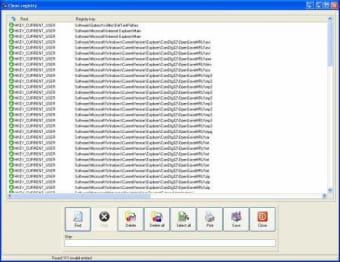
EasyCleaner lets you delete unnecessary files like temps, backups, etc. It looks for invalid registry entries and deletes them, thereby boosting your computer speed by 20%. You can delete these errors in registry one at a time or in batches for faster operation. To make removing registry even faster, you can configure the setting to bypass the delete confirmation prompt whenever you wish to delete an error.
For extra precaution, the app also automatically backs up the changes made to the registry in a REG file before fixing any issue. The registry file can store up to 99 backups that you can restore anytime. EasyCleaner also keeps a report of the entries deleted or filed which contains the registry hive and key along with the modified data and sting value of the errors. These reports are available for printing or saving to an HTML file.
More Boosting Features
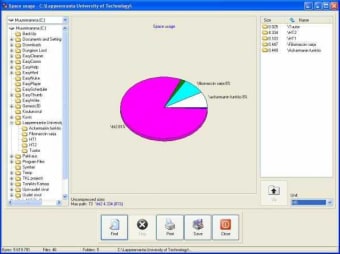
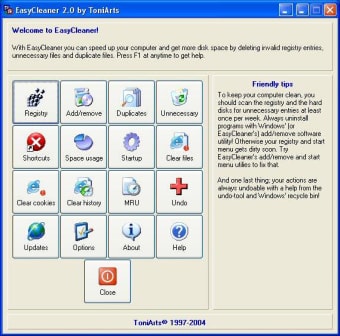
What sets EasyCleaner from other system maintenance programs is the fact that the app comes rich in feature. While it primarily works as a registry cleaner, it still has other functions which you can use. For one, the app can work as a duplicate file finder. That’s right. It can scan your computer to find files saved twice and delete them to free up more space. It can also provide you with a graphical chart that shows your disk space usage. The program also includes various ways to clean junk files, internet tracks, and broken shortcuts from your desktop and Start menu for easier organizing.
The only downer about this feature is that it takes time for the scanning to complete. To make it easier for you, you can customize the cleaning behavior of the app and base them on file types and folder location.
EasyCleaner comes in a very user-friendly, if not a bit outdated, interface that is easy to navigate. The app also uses very little resources, so it does not affect your computer’s performance.
For a Better Performance
A system maintenance app is an essential part of a computer’s tool kit if you want to maintain good performance, every time. With EasyCleaner, you can have that and more. Not only will the app make sure that no unnecessary registry entries are saved somewhere on your device, but you can also use it to remove unwanted files and junks. And since the app caters to novice users, you can keep your computer in great condition with less hassle.